
Building a Facial Tension Detector, Part 1

I’m building a web app that watches me while I work at my computer and alerts me when I start tensing my facial muscles. The goal is to notice tension earlier, interrupt it sooner, and see whether awareness alone can change an outcome. In other words, I’m attempting to Big Brother myself into a slightly better experience in my body.
This post starts a series documenting the project as it evolves. It’s my first exposure to computer vision and machine learning, and I’m writing through the process in case it’s helpful to others who are curious about learning in this space, while exploring what it means to build software rooted in lived experience.
Why I’m building this
My 2025 New Year’s Eve took a rather unfortunate turn when I realized I needed to head to the emergency room instead of ringing in the new year with my loved ones. I’ve dealt with migraine since I was a teenager (fun fact: the singular migraine is technically correct), but this one felt different. The pain was a searing 10/10, paired with brain fog so intense I forgot the names of close friends. That combination made it clear to me that something was wrong.
It was one of the worst migraines I’ve ever had, but in the spirit of trying to find a silver lining, it also brought a moment of clarity. I’m generally aware of my triggers, and I do what I can to manage them day to day: sleeping enough, eating regularly, managing stress, avoiding overhead fluorescent lights like my life depends on it. Most of these are things I can plan around.
But one of my triggers sneaks in constantly, without me noticing at all: facial tension.
Earlier that day, I had caught myself scrunching and tensing my face while working at my computer. Not dramatically, just enough to register when I happened to check in. The problem is how rarely that check-in happens. You focus on a task, time disappears, and when you finally come up for air you realize your body has been doing something strange the entire time. I know some of my fellow developers relate to that. And if you’re thinking you don’t… I kindly invite you to check your posture <3
That realization, and that unfortunate night at the ER, planted the seed for this project.
I started wondering whether tension is something I don’t notice because it isn’t measurable. I found myself questioning 1) whether making it visible could change my behavior, and 2) whether stopping it earlier would reduce migraine frequency. Those questions became the foundation for building a facial tension detector.
Ultimate goals for the project
At its core, I want this project to be something I can use day to day, and eventually something other people could run locally as well. The goal isn’t constant monitoring for its own sake, but timely, meaningful feedback. Alerts should only fire after sustained tension, and only when that tension meaningfully deviates from a user’s neutral baseline. If it’s going to be helpful, it can’t be noisy or irritating.
That means solving a few hard problems up front to reach a true “this is actually helpful and not just fun to play with” state. The system needs to distinguish between actual facial tension and normal expressions like smiling or talking. It shouldn’t alert when someone turns their head, shifts posture, or simply moves out of frame. It also needs to be configurable, because what feels like “too much” tension, or “too long,” will vary from person to person. Accuracy matters, but usefulness matters more. If it interrupts at the wrong times, it’s worse than useless: it’s annoying.
Early progress
I’ll work through my initial set up, and how I completed the first “phase” of the project. It’s been genuinely quite fun!
Initializing the project
I started by initializing a project with Vite and React. That gave me TypeScript, React, and a fast dev server with minimal setup. Since web dev is my home, and I’m already stretching into new technical areas with this project, I wanted the surrounding scaffolding to feel predictable.
I cleaned up some of the Vite boilerplate, but not all of it. I was just too excited to get something on the screen.
Face landmark detection
After some research, I landed on Google’s MediaPipe Tasks Vision library. MediaPipe is a cross-platform framework for building perception pipelines, and its Face Landmarker solution detects 478 facial landmarks in real time, which is exactly what I needed to start tracking facial tension.
Getting it running was refreshingly straightforward. After installing the library and adding the face landmarker model to the app’s public assets, I was able to initialize a landmarker instance and hook it up to a webcam video stream.
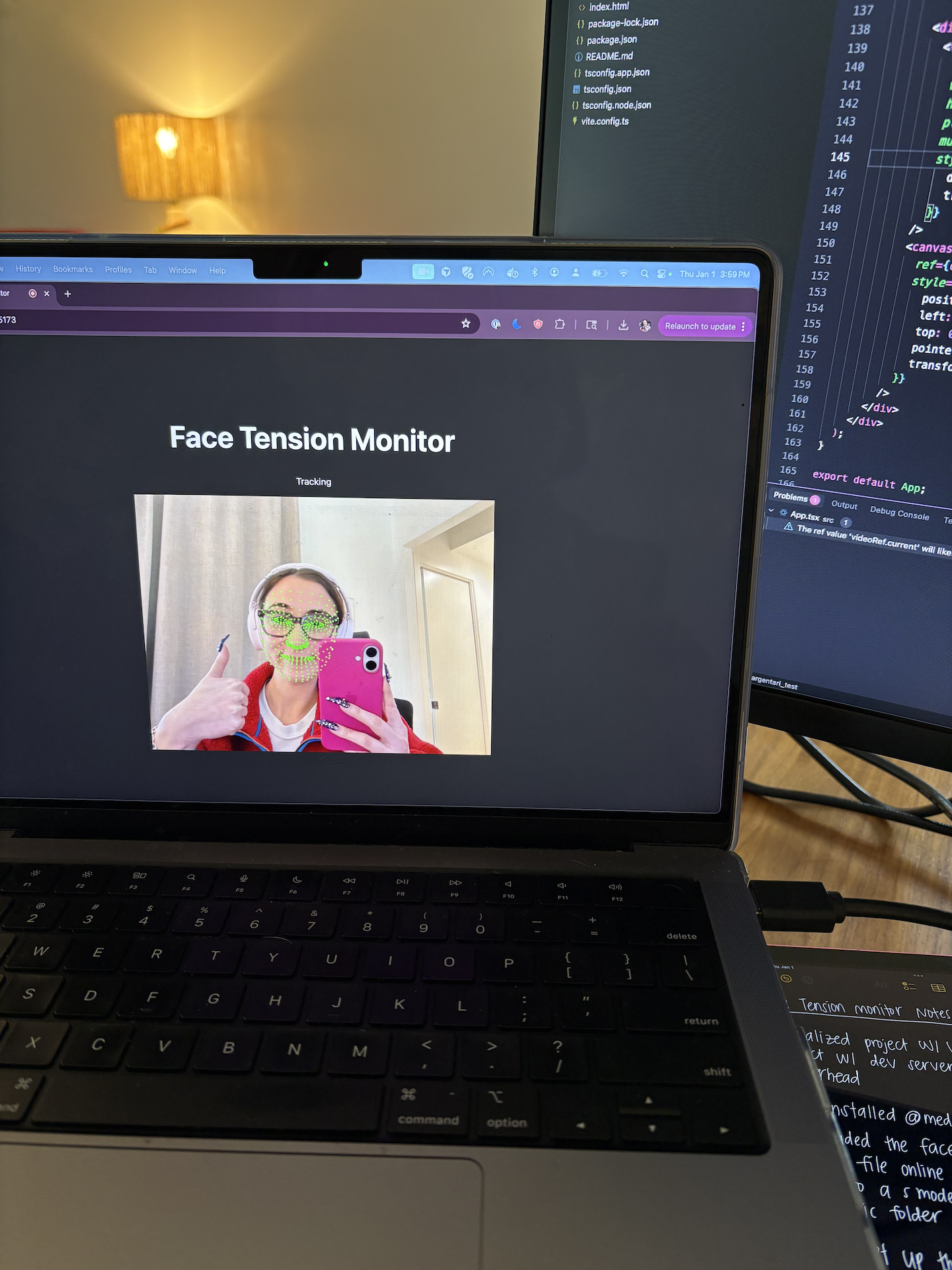
Once that was in place, I set up a requestAnimationFrame loop to continuously detect landmarks and draw them on a canvas overlay. The first time I saw my face covered in 478 tiny green dots, all tracking my movements in real time, is when I got suuuuper excited.
Computing signals
With landmarks available, the next step was figuring out which signals might correlate with facial tension.
I started simple. Each landmark comes with normalized x and y coordinates, so computing distances between points is straightforward. Using those distances, I began deriving higher-level signals.
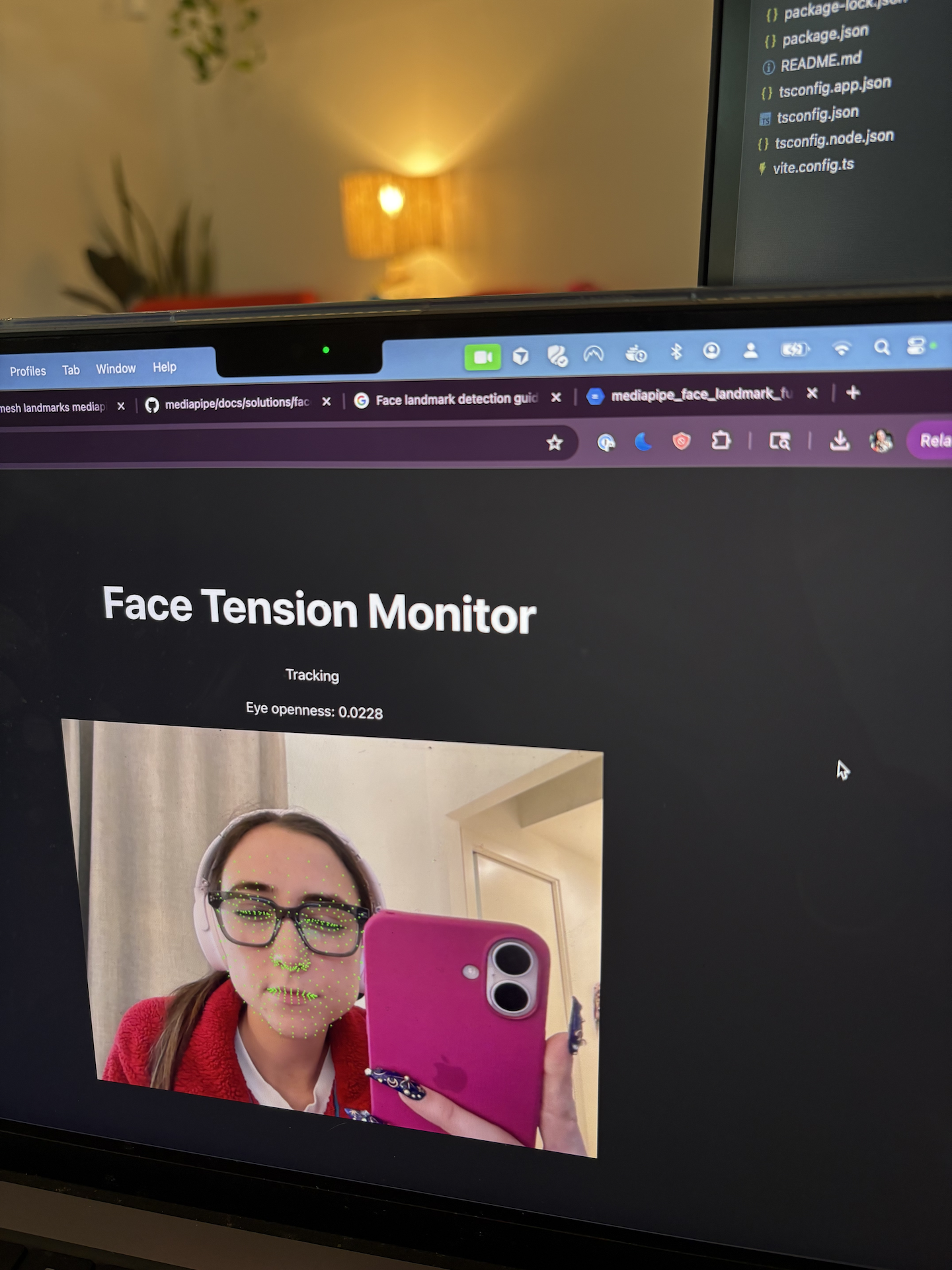
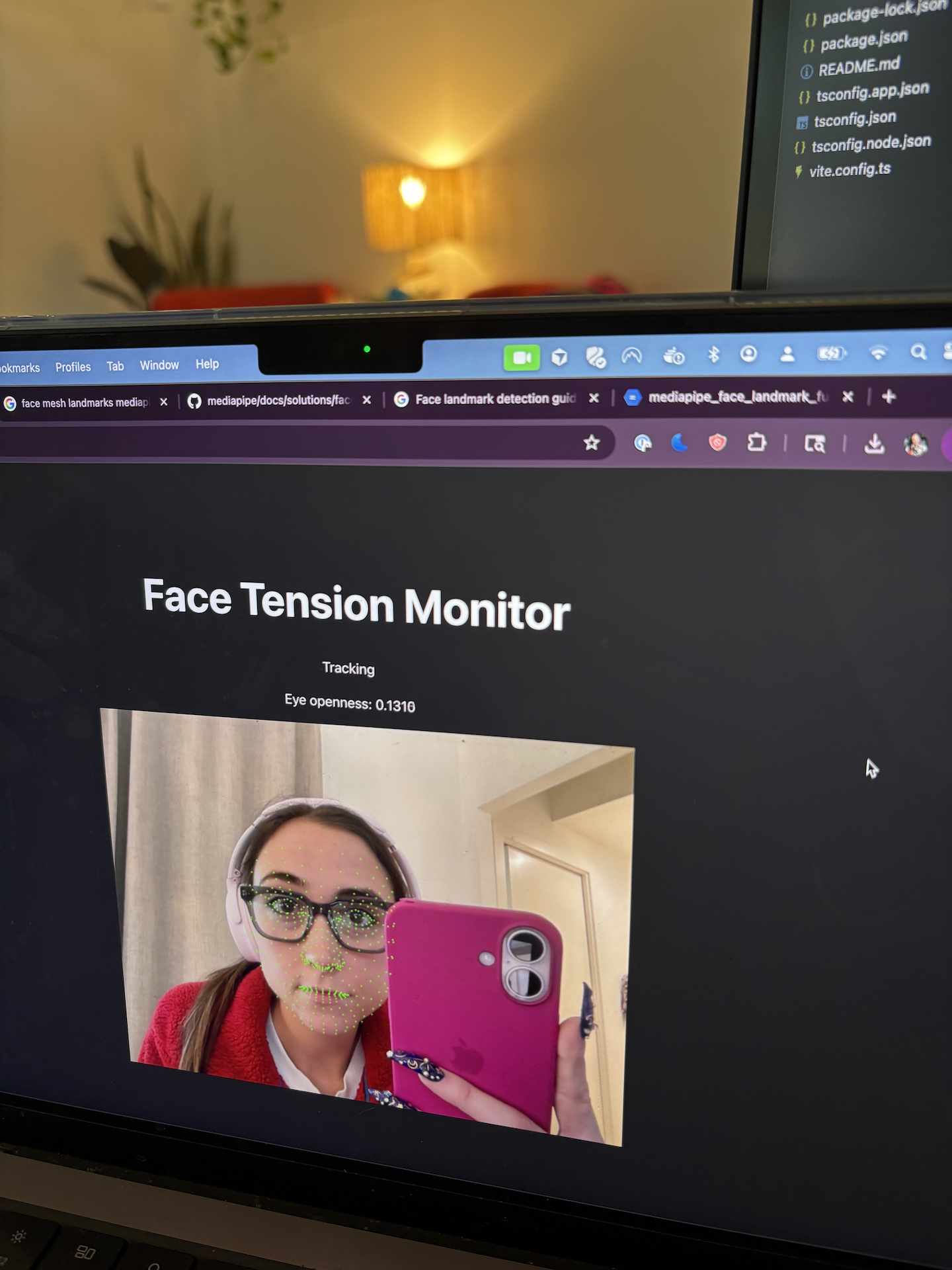
For eye openness, I measured the vertical distance between the top and bottom of each eye, normalized by face width to account for how close or far I was from the camera. Squinting caused the value to drop, opening my eyes wide caused it to rise. That immediate feedback was reassuring.
Encouraged by that, I added another signal: inner brow distance. When you furrow your brow or scrunch your face, the inner corners of your eyebrows move closer together. That movement shows up clearly in the landmark data and turned out to be a strong tension signal for me.
Neutral calibration
Raw signal values don’t mean much on their own. My “relaxed” face doesn’t look exactly like anyone else’s, so I needed a way to establish a personal baseline.
To do that, I implemented a simple calibration phase. When the user clicks “Calibrate,” the app samples facial signals every 100 milliseconds for 10 seconds while they maintain a neutral, relaxed expression. At the end of that window, the app averages the samples to establish a personal baseline for eye openness and brow distance.
From there, tension becomes a deviation from that baseline rather than an absolute number. This felt like an important step toward making the system adaptable and less noisy.
A small but important bug: closures and refs
This is where I ran into my first genuinely frustrating bug.
When I clicked “Calibrate” for the neutral calculation, the countdown on the button just wouldn’t update. It stayed stuck on the same number, and the button never switched back once the 10 seconds should have been up. From the outside, it wasn’t clear whether calibration was working at all. I knew that it was though, thanks to everyone’s bestie, console logs.
I was tracking calibration state with React state, which felt reasonable:
const [isCalibrating, setIsCalibrating] = useState(false);
The issue was where that state was being read. The animation loop is created once inside a useEffect on mount, so it closes over the initial value of isCalibrating. Updating state triggered a re-render, but the loop kept running with the old value. From its perspective, calibration was always false. Classic stale closure.
The fix was to pair state with a ref. The state drives the UI, while the loop reads from the ref, which always reflects the current value:
const isCalibrationRef = useRef(false);
Long-running effects live in a slightly different world. Sometimes refs are just the right tool, especially when you’re dealing with animation loops and media.
Closing
At this point, the project is capable of measurement, but not intervention. I can detect facial landmarks reliably, derive a few basic signals, and establish a neutral baseline, but I’m still learning how those signals behave in practice and how to detect and alert when they meaningfully deviate from the norm.
Building things piece by piece is part of the point. This series is my way of working through those questions intentionally, documenting the technical decisions along the way. The next step is figuring out how and when these signals should turn into something actionable.
Until next time 👋